5. Download data
To download data using the TOAR Dashboard:
Use the filter options to select your desired stations, variables.
Click “apply” to display matching stations and close the window. A number is added to the filter button to indicate how many filter options have been selected.
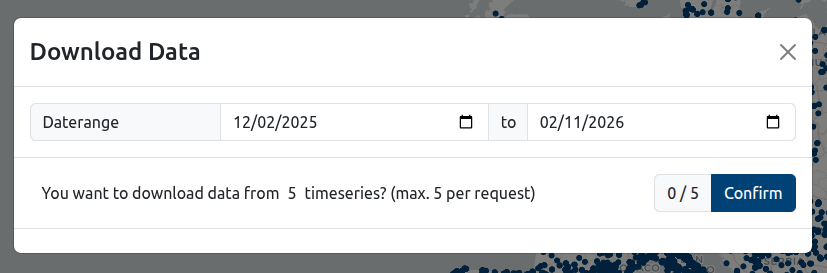
Open the download modal by clicking on “Download data”.
Select a date range (optional, but recommended) and then press ‘Confirm’ if you are sure about the request. The link next to “Status” will be updated according to your most recent request.
Click the status link to save a ZIP file to your local machine. If no time series are available, the download may contain no data.

Note: Anonymous users are limited to 5 time series per download. If there are more than 5 time series available, the 5 time series are chosen randomly. Registered users get higher limits (see “Data Access” section for user roles). To register and increase your download limit, please follow the steps described here:
https://toar-data.fz-juelich.de/sphinx/TOAR_UG_Vol07_Dashboard_Guide/build/html/registration.html
For larger/bulk downloads, use the REST API instead (e.g., https://toar-data.fz-juelich.de/api/v2/data/timeseries/18763?format=csv).